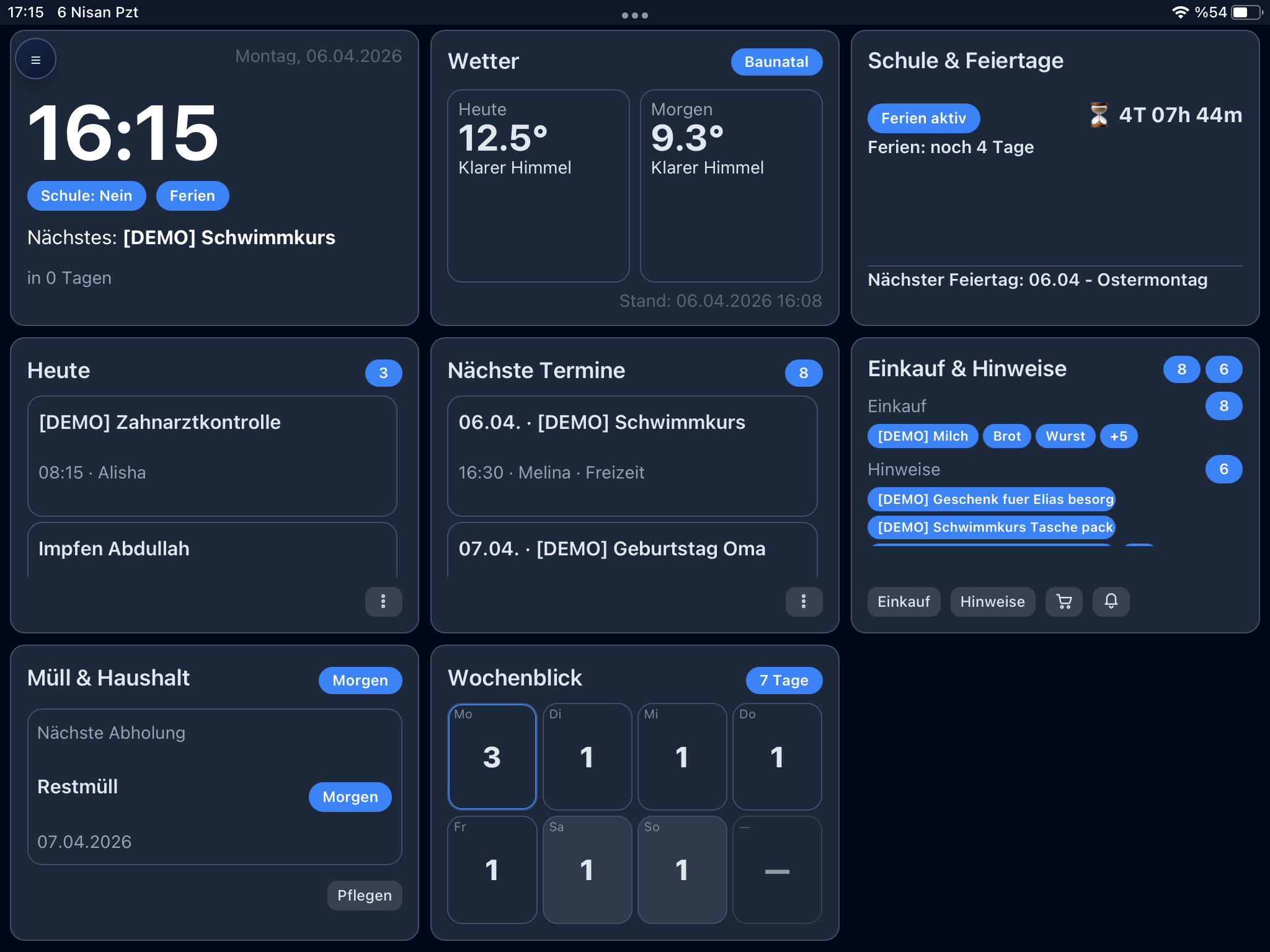
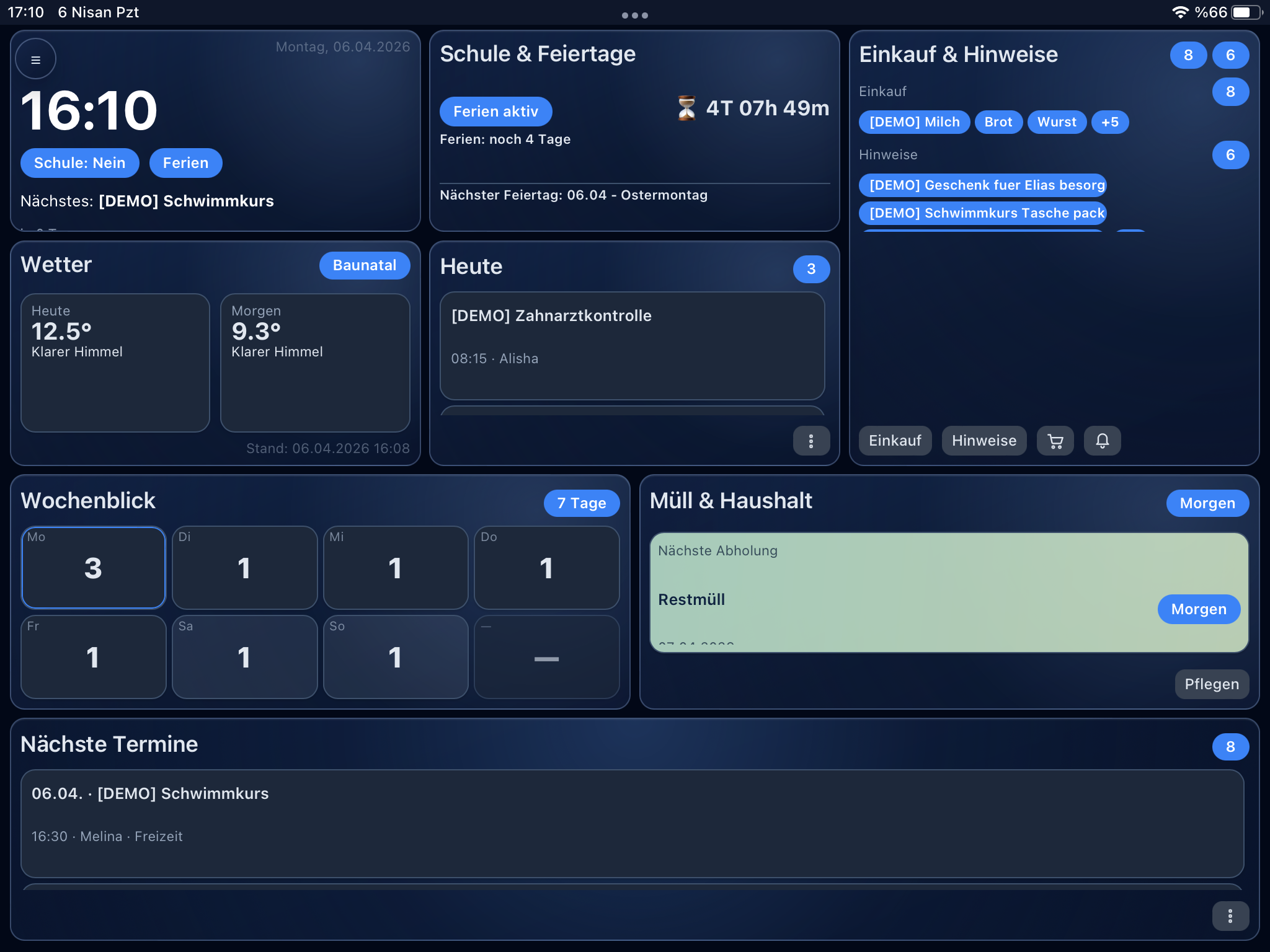
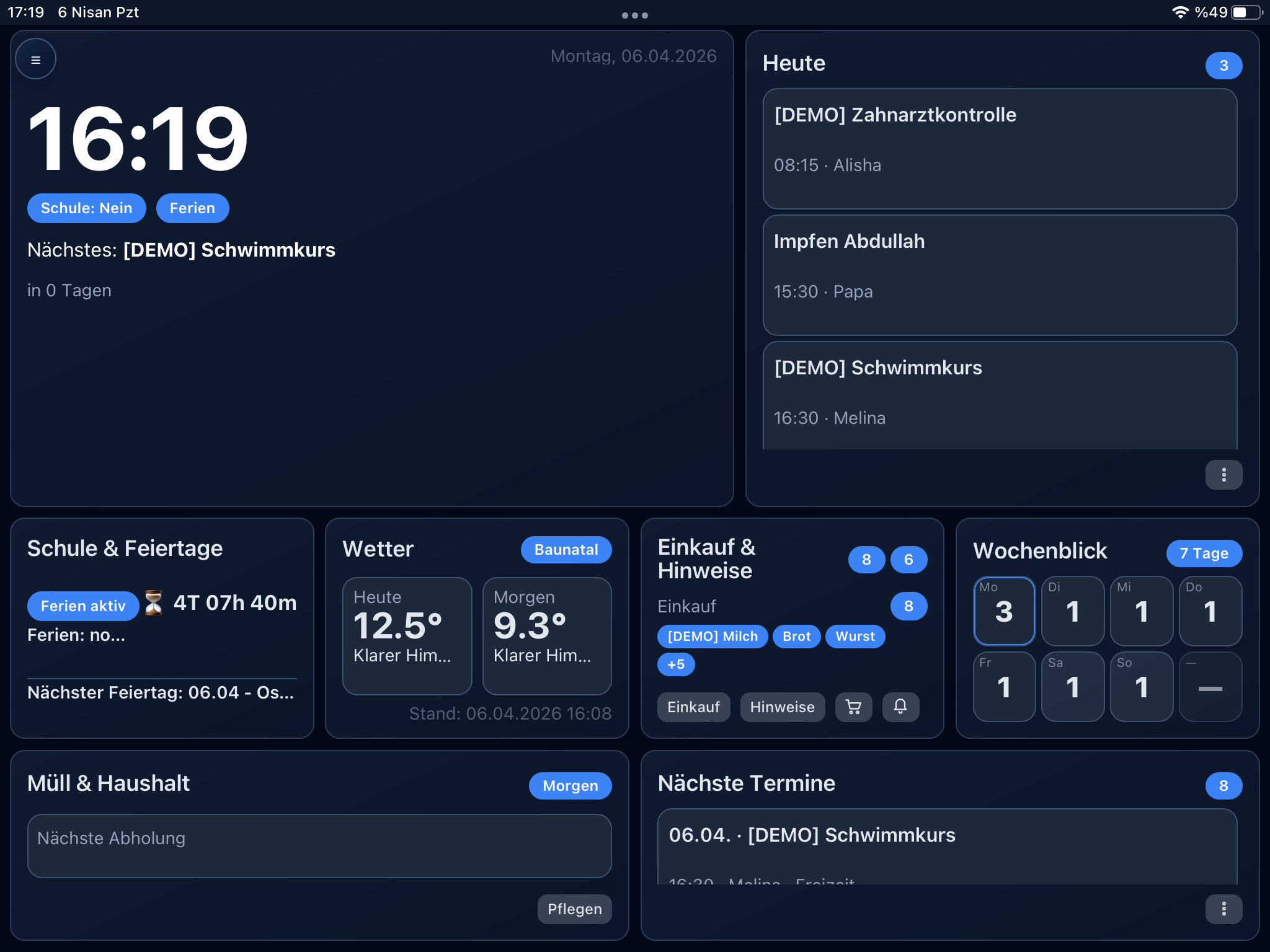
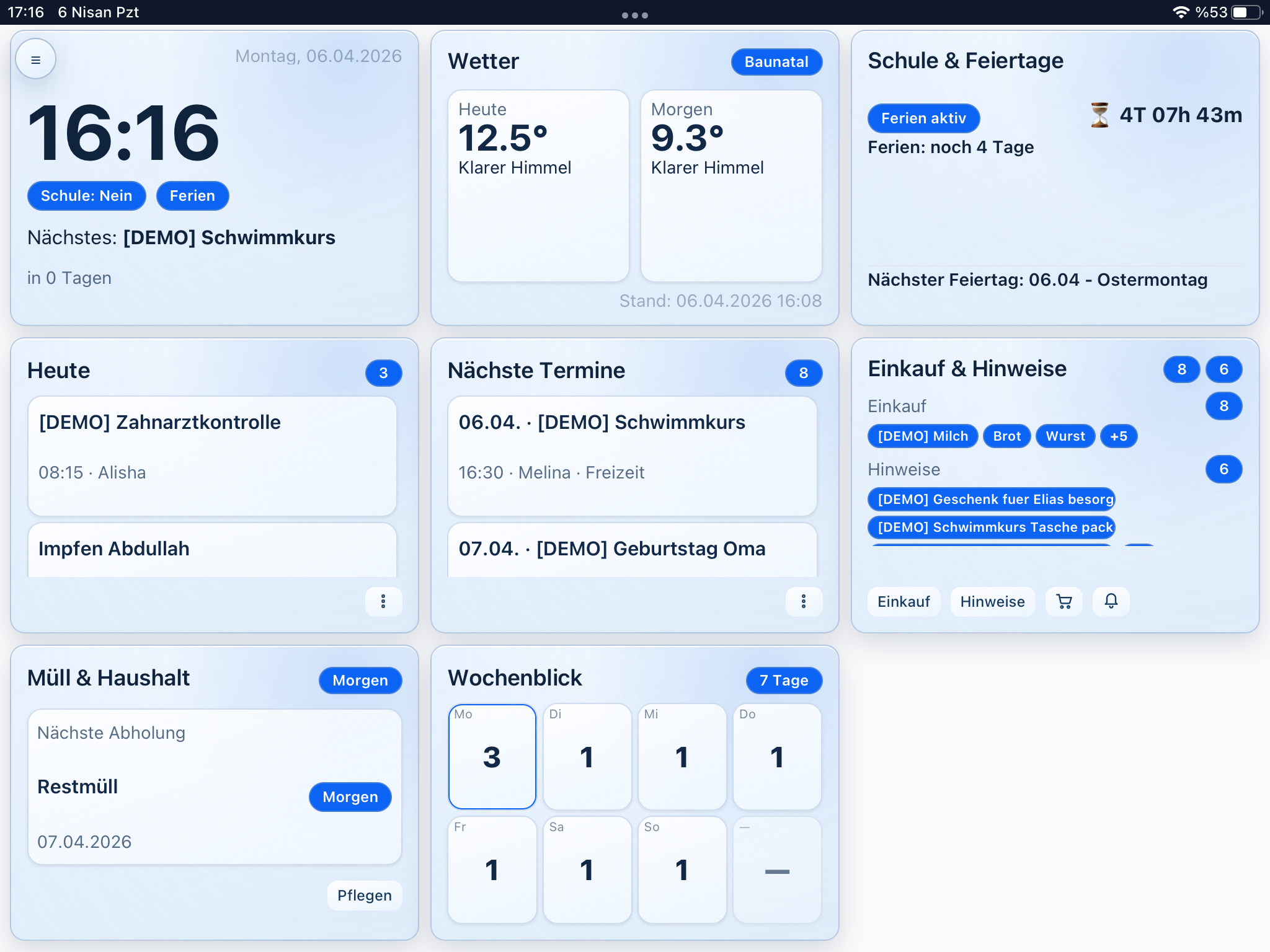
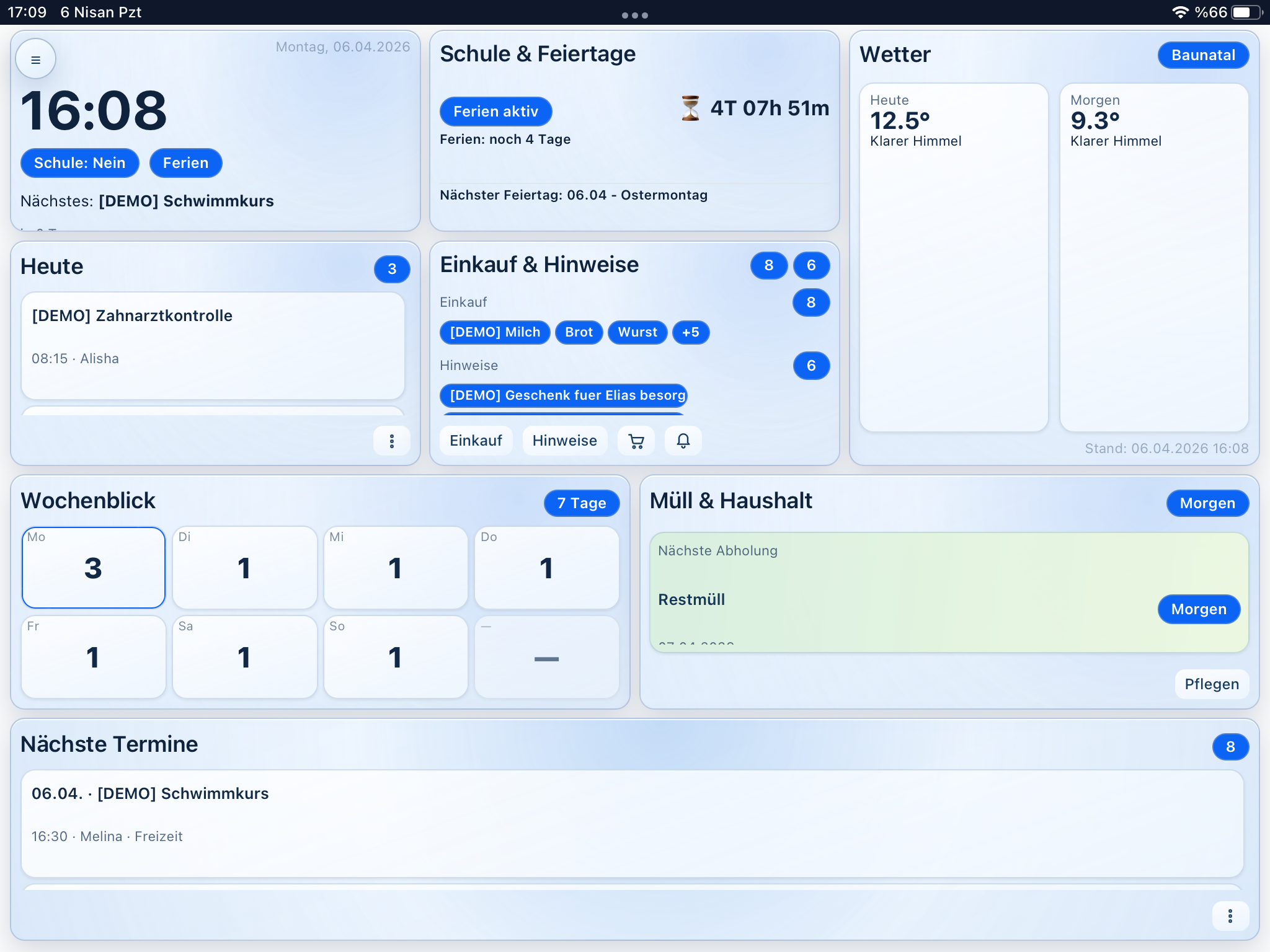
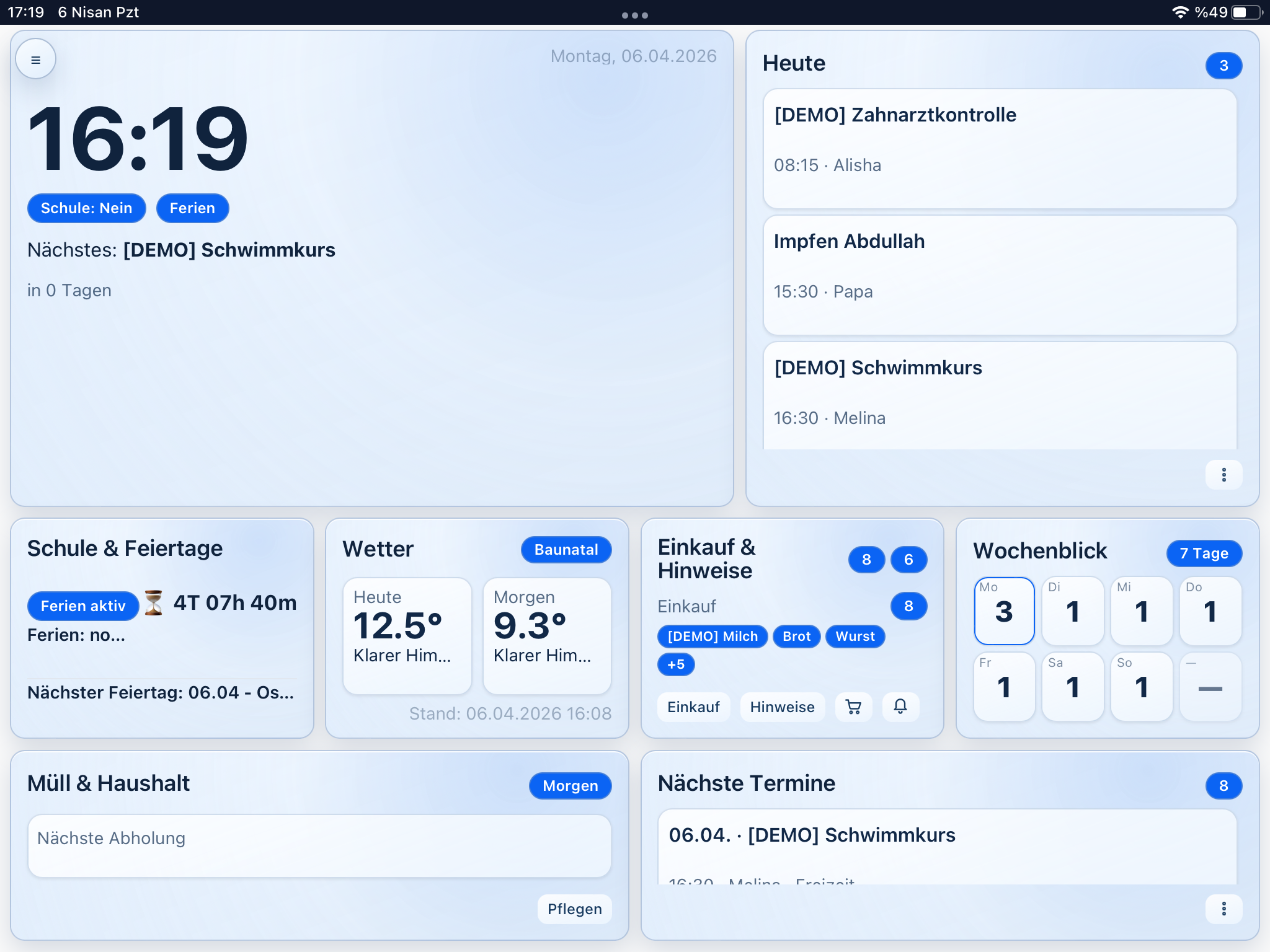
Dashboard / Panel
The main view is optimized for always-on use (wall tablet). It bundles the most important information without scroll chaos.
- Time/date and quick status
- Weather (with internet: fetch and local cache; offline: notice/last data)
- Holidays and school break status
- Appointments preview, notices, and shopping preview
Calendar
A clear overview of appointments and relevant time ranges so the weekly plan is immediately understandable.
- Break periods via import (with internet: fetch; stored locally)
- School status logic (weekend/holiday/break/override)
- Family-relevant filters instead of full-calendar overload
Shopping list (offline-first)
Shopping needs to be fast. The list is designed for mobile use and offline operation.
- Duplicate entries and configurable quick words
- Offline queue: changes are stored locally
- Sync when the network returns via dedicated sync endpoints
- Detail view for quickly checking off open items
Notices (offline-first)
Family notes that can stay—or expire automatically. Ideal for tasks, info, and reminders.
- Create, edit, complete—even offline
- Optional expiration date
- Sync model like the shopping list
Member pages
Each person gets their own page for appointment management and overview—without everything ending up in a giant calendar.
- Per-person appointment management (create/delete)
- Structured categories
- Private vs. family-relevant (for the family panel)
- Per-person shopping overview (created/done/confirmed)
Member mobile app (PWA)
Separate phone UI per family member with its own session. V1 focus: appointments and shopping.
- Per-member PIN login (6 digits) with device remember
- Read and edit appointments live in the home network
- Outside connection: events read-only from cache
- Shopping actions queued offline, later sync on next home-network connection
Setup, operations & maintenance
Runs locally in the home network via the HomeBox—including setup wizard and backup workflow.
- Setup wizard for initial configuration
- Settings for dashboard, timezone, refresh interval
- Backup and restore via the UI
- Optional automatic data retention
- Access as wall board on a tablet and separately on mobile via the member PWA
PWA & offline
Both UIs can be used as PWAs. Offline behavior is intentionally defined per area.
- Manifest and service worker
- Offline cache for core pages
- Wall board: offline queue for shopping list and notices
- Mobile PWA: offline queue for shopping actions, later sync in the home network